Turn any document into fine-tuning data
Upload your document
Drop any PDF, DOCX, TXT, or Markdown file. We handle the rest.
Drag & drop a file
PDF, DOCX, TXT, MD
Download your JSONL
AI generates Q&A pairs and formats them into OpenAI-ready JSONL.
{"messages": [
  {"role": "system", ...},
  {"role": "user", ...},
  {"role": "assistant", ...}
]}
{"messages": [
  {"role": "system", ...},
  {"role": "user", ...},
  {"role": "assistant", ...}
]}
Drag & drop a file
PDF, DOCX, TXT, MD
{"messages": [
  {"role": "system", ...},
  {"role": "user", ...},
  {"role": "assistant", ...}
]}
{"messages": [
  {"role": "system", ...},
  {"role": "user", ...},
  {"role": "assistant", ...}
]}
Upload your documents and get perfectly formatted JSONL training data for OpenAI fine-tuning. Ready in minutes.
Start with 15 free credits — no card required.
The simplest way to fine-tune LLMs, for anyone
Three steps. No code. No data science degree required.
What if AI wrote like you do?
ChatGPT is powerful, but it sounds generic. Fine-tuning teaches it your tone, your style, and how your domain works.
Fine-tuning means training an AI model on your own documents — so it responds the way you would. Same voice, same structure, same domain expertise.
Customer Support
Train AI to respond in your support team's tone and style. It learns how you handle complaints, how you phrase apologies, and how you structure helpful replies.
Example
Input: Your best support transcripts and email templates
Result: AI that drafts replies in your team's voice
Content & Brand Voice
Generic AI writing sounds like everyone else. Fine-tune on your blog posts, newsletters, or marketing copy so AI writes in your brand's voice — every time.
Example
Input: Your best blog posts, newsletters, social copy
Result: AI that matches your brand's tone and structure
Domain Language
AI struggles with specialized jargon. Fine-tune on your field's documents so it uses the right terminology and follows your conventions.
Example
Input: Legal briefs, medical notes, engineering reports
Result: AI that uses correct terminology
Consistent Output
Need AI to always respond in a specific structure? Fine-tune on examples of your ideal output — reports, summaries, proposals — and it learns your format.
Example
Input: Report templates, proposal formats, summary styles
Result: AI that matches your exact structure every time
How it works, start to finish
Add your documents, guidelines, or best examples — and teach an LLM to be your very own.
Online store with 500 products
Need descriptions that all sound like your brand.
Gather your best examples
Export your 50 best-performing product descriptions — the ones that convert. These already have your brand's tone, structure, and selling style baked in. Any PDF, Word doc, or text file works.
Upload them here
Drop your files into JSONL for LLM. Our AI analyzes your writing and automatically creates hundreds of training examples — teaching the model your voice, how you open a description, how you highlight benefits, how you close with a CTA.
Download a training file
You get a single file (called a JSONL file) in the exact format that OpenAI needs. You don't need to understand the format — it just works.
Fine-tune your model on OpenAI
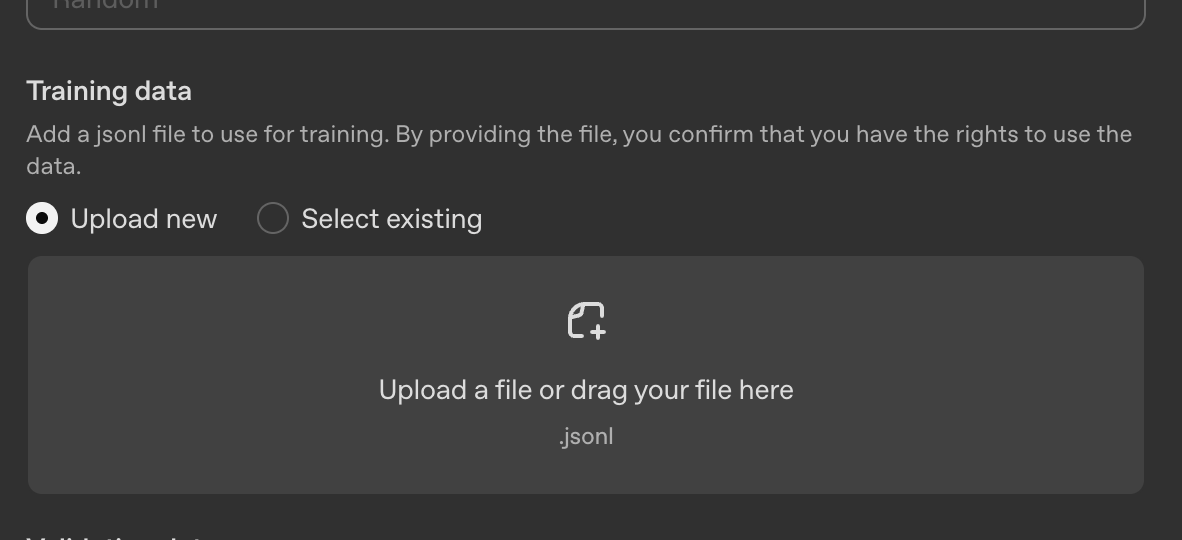
Go to platform.openai.com/finetune, click "Create", upload your file, and hit start. OpenAI trains a custom model for you in 10-30 minutes. No code needed.
Generate the other 450 descriptions
Give your fine-tuned model basic product details and it writes descriptions in your brand's exact style — same tone, same structure, same selling approach. What used to take weeks now takes an afternoon.
The math: Writing 500 product descriptions at 20 minutes each = 166 hours of work. Fine-tune on your best 50, then generate the rest in seconds. Same brand voice, same quality — a fraction of the time.
Fine-tuning is powerful. Preparing data shouldn't be painful.
OpenAI lets you fine-tune GPT on your own data — but getting documents into the right JSONL format is tedious and error-prone. We fix that.
The hard way
With JSONL for LLM
Supported formats
DOCX
.docx
TXT
.txt
Markdown
.md
OpenAI-ready output
Each line of your JSONL file contains a training conversation in the exact format OpenAI expects.
{"messages": [
  {"role": "system", "content": "You are a helpful assistant that explains machine learning concepts."},
  {"role": "user", "content": "What is gradient descent?"},
  {"role": "assistant", "content": "Gradient descent is an optimization algorithm used to minimize the loss function in machine learning models. It works by iteratively adjusting parameters in the direction of steepest descent..."}
]}
Start free, then pay as you go
Every account starts with 15 free credits. Need more? Buy packs anytime — no subscriptions.
1 credit = ~5,000 characters processed. Minimum 1 credit per document.
Frequently asked questions
What is JSONL fine-tuning data?
JSONL (JSON Lines) is the format required by OpenAI for fine-tuning models like GPT-4o and GPT-3.5. Each line contains a conversation with system, user, and assistant messages.
How are credits calculated?
Credits are based on the character count of your extracted document text. 1 credit per 5,000 characters, with a minimum of 1 credit per document.
What file types are supported?
We currently support PDF, DOCX (Microsoft Word), plain text (.txt), and Markdown (.md) files up to 10MB.
How long does processing take?
Most documents are processed within 1-3 minutes, depending on size. You can track progress in real-time on the document detail page.
What model generates the training pairs?
We use GPT-4o-mini via OpenRouter to generate high-quality question-answer pairs from your document content.
How do I use the JSONL file with OpenAI?
Go to platform.openai.com → Fine-tuning → Create. Upload your downloaded JSONL file, select a base model (like gpt-4o-mini), and click Create. OpenAI handles the rest — training usually takes 10-30 minutes.